See it in action
Hover for the full picture
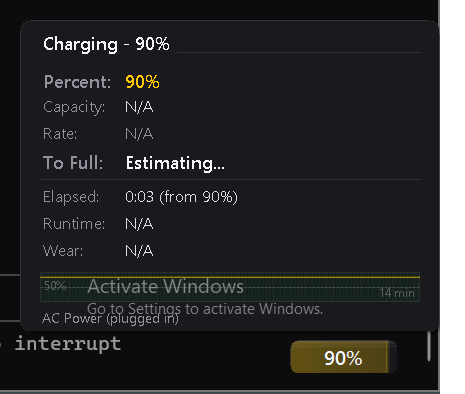
The pill shows time at a glance. Hover for charge rate, capacity, wear, and a 2-hour sparkline.
A tiny floating pill that lives on your desktop. Always visible. Never in the way. Just your time remaining.
v0.9.0 — ~170 KB, single .exe, no install
Windows may show a SmartScreen warning — click “More info” then “Run anyway”
Features
BatteryPill does one thing and does it well. No bloat, no clutter, no system tray diving.
See it in action
The pill shows time at a glance. Hover for charge rate, capacity, wear, and a 2-hour sparkline.
How it works
Grab the latest version from this page. It's a single .exe file, no installer needed.
Double-click to launch. The pill appears on your desktop and the tray icon sits quietly in the background.
That's it. Drag the pill where you like. Click it for details. Right-click the tray icon to exit.
Support
BatteryPill is free and always will be. If it saves you from an unexpected shutdown, consider buying me a coffee.